







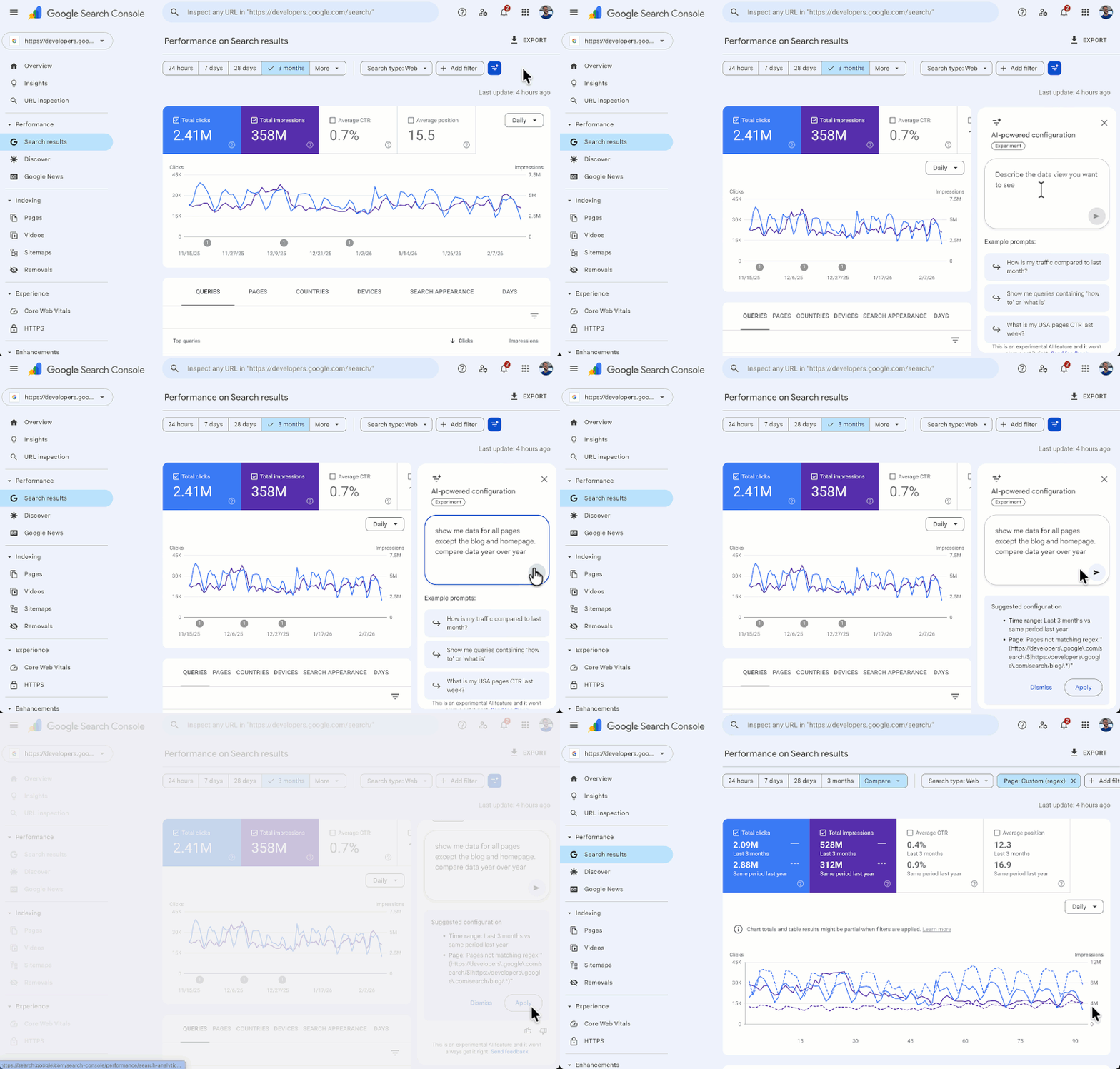
Google’s AI-powered configuration in Search Console is now available to all users globally. The tool is accessible inside the Performance section. When users log in and open the Performance report, they may see a notice at the top that says, “New! Customize your Performance report using AI.”
The company started testing this feature with a small group of users a few months ago. At that time, it allowed users to ask questions about their Search Performance data. Now, Google is expanding the feature to all users, the company announced on LinkedIn.
What the update changes inside Search Console
Google says the feature lets users describe the analysis they want in natural language. The system then converts those instructions into the appropriate report settings. Instead of manually selecting filters, comparisons, and metrics, users can type their request. The tool then configures the report based on that prompt.
The company describes the tool as powered by AI and designed to handle key report settings automatically.
What the tool can adjust in performance reports
Google explains that the AI configuration handles three main elements. First, it can apply filters. Users can narrow data by search query, specific page URLs, country, device type, search appearance, or date range. For example, an advertiser running mobile-only campaigns can request data specifically for phone searches.
The tool can also configure comparisons. Instead of manually setting custom date ranges, users can request comparisons such as this quarter versus the same quarter last year. The AI will structure the comparison automatically.
According to Google, it also selects metrics. The tool works across the four available Search Console metrics: Clicks, Impressions, Average CTR, and Average Position. Users can specify which ones they want displayed.
Recap
What is the Google Search Console AI configuration tool?

Google Search Console's AI configuration tool lets users describe their desired performance report in natural language, which the system then converts into report settings automatically. It is now available globally inside the Performance report section.
What filters can the Search Console AI tool apply?
The AI tool can filter Search Console data by search query, page URL, country, device type, search appearance, and date range. It can also configure date comparisons, such as quarter-over-quarter, without manual setup.
What metrics does Google Search Console AI support?
The AI configuration tool supports all four core Search Console metrics: Clicks, Impressions, Average CTR, and Average Position. Users can specify which metrics to display by entering a plain-language prompt into the Performance report interface.